





About Run 3
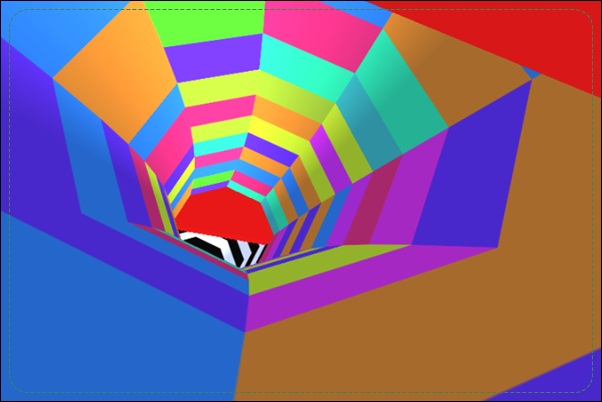
Run 3 makes the walls of a space tunnel part of the route. Your character runs forward while you move sideways and jump over missing floor. Reaching a wall can rotate the tunnel, turning a surface that appeared vertical into the ground beneath the runner. That gives a gap more than one possible solution.
Explore mode provides a network of routes to progress through, while Infinite mode focuses on continuing survival. Characters and power-cell collection add goals around the running challenge, but the most useful skill is spatial: learn to see the tunnel as several possible floors instead of one fixed strip. A safe wall transition can avoid an awkward jump, and a measured jump can connect surfaces that initially look too far apart.
How to Play Run 3
Use the Left and Right Arrow keys to move and Space to jump. Hold Space longer for a longer jump, use tunnel walls to rotate your route, and cross gaps toward supported ground in Explore or Infinite mode.
- Choose Explore for route progression or Infinite for an ongoing run.
- Read the floor and nearby walls for a supported continuation.
- Jump a gap or move toward a wall to bring another surface into use.
- Reorient after the movement and prepare the next landing or wall transition.
Controls & Timing
The wall can become the floor
Moving onto a tunnel wall changes the runner’s orientation and rotates the scene. Read the surface you are entering before committing. A wall is useful because of the route it provides, not simply because it is different from the broken floor.
Jump duration changes the crossing
Holding Space longer produces a longer jump. Match that duration to the destination instead of using the maximum hold every time. An unnecessarily extended jump can complicate the landing you need for the next section.
Modes give the run different purposes
Explore emphasizes progressing through connected routes, while Infinite emphasizes lasting through a continuing challenge. Decide which objective you want to work on. Route learning and collection attempts do not always call for the same risks.
Controls
| Input | Action | When to use |
|---|---|---|
| Left / Right Arrow | Move sideways | Reach another line or a tunnel wall |
| Space | Jump | Cross a gap |
| Hold Space longer | Extend the jump | Reach a farther landing |
High Score Tips
- Inspect more than the current floor. When a gap looks difficult, check the neighboring walls. A supported route there may be easier to enter than the jump suggested by the initial viewpoint.
- Choose the receiving surface first. Before jumping, identify where the runner should land. This makes the hold duration a response to the gap instead of an automatic long press.
- Pause the next decision until orientation is clear. After a wall transition, quickly locate the new floor and its openings. Carrying an old left-right assumption through the rotation can make the next movement confusing.
- Learn a route before taking collection risks. A dependable passage helps you judge optional power-cell lines. Knowing the exit lets you distinguish a manageable collection detour from a jump that leaves no safe continuation.
Key Features
- Wall-based tunnel rotation. Additional surfaces can become usable ground as you move onto them.
- Variable jump length. The duration of Space affects the crossing.
- Explore and Infinite modes. Route progression and continuing survival support different session goals.
- Character and power-cell systems. Collection adds progression around the central running challenge.
Frequently Asked Questions
How do I make a longer jump?
Hold Space longer rather than releasing immediately. Choose the landing first, then use the duration needed to reach it; the longest possible jump is not automatically the safest one.
Can the walls help me avoid a gap?
Yes. Moving onto a wall rotates the tunnel and brings another surface into use. Inspect that surface before committing so the transition gives you a real continuation.
What is the difference between Explore and Infinite?
Explore focuses on progressing through routes, while Infinite focuses on a continuing survival run. Choose the mode that matches whether you want to learn a particular path or extend an attempt.
Why do I get disoriented after changing walls?
The tunnel rotates around the runner, so the apparent floor changes. Reidentify the supporting surface and the next gap before making another movement based on the old viewpoint.
Should I always jump when the floor ends?
Check the walls as well as the space ahead. A wall transition may provide another supported path, while a jump is useful when you can identify a reachable landing beyond the opening.