



About Cosmo Void
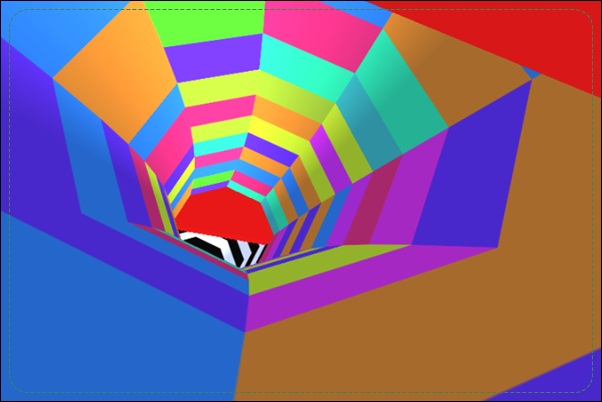
Cosmo Void gives speed control a cost. You pilot a ship through changing corridors, using lateral movement to find openings and a dash to pass them quickly. Braking can buy time, but overuse raises heat until the ship is at risk. The safest-looking slow approach is therefore not always sustainable.
Boosters provide another change of state by activating Hyper Mode, while a local two-player contest removes brakes and boosters from its rules. These distinctions matter because the action available in one mode is not a dependable rescue in another. Read the selected mode, manage the ordinary route first, and let each dash or brake solve a specific problem in front of the ship.
How to Play Cosmo Void
Steer with A/D, dash with W or Up Arrow, and brake with S or Down Arrow in the standard mode. Avoid corridor hazards while monitoring heat; in local two-player play, follow its separate control prompts and simpler rules.
- Choose a mode and identify which actions it permits.
- Steer toward an opening while watching moving walls and obstacles.
- Use a short brake or a dash only when it improves the timing of that passage.
- Continue through the course, watching the heat indicator and any active Hyper Mode state.
Controls & Timing
Braking consumes room for future braking
Slowing down can help with a close obstacle, but repeated use raises the overheating risk. Watch the indicator while using it. A brake should resolve a particular approach rather than remain held throughout the corridor.
A dash commits the approach
Additional speed reduces the time available to correct sideways position. Align the ship before activating the dash. Entering a narrow gap faster is useful only when that gap is already on the intended route.
Mode changes remove assumptions
Hyper Mode temporarily changes interaction with obstacles after boosters activate it. Local two-player play uses different rules without the same braking and booster options. Check the actual state rather than expecting every attempt to offer the same escape.
Controls
| Input | Action | When to use |
|---|---|---|
| A / D | Steer left or right | Align the ship with a passage |
| W / Up Arrow | Dash in standard play | Pass a prepared opening quickly |
| S / Down Arrow | Brake in standard play | Adjust arrival timing while monitoring heat |
| Displayed player assignments in local mode | Control the assigned ship | Compete under the two-player rules |
High Score Tips
- Identify what the brake will fix. Use it to adjust arrival at a particular moving opening. Holding it merely because the scene feels fast can consume the heat margin without improving the route.
- Finish alignment before a dash. Bring the ship onto the intended line while there is still time to judge it. A dash should execute a chosen passage, not begin the search for one.
- Read the indicator after a difficult section. A successful escape may leave the ship close to overheating. Include that state in the next decision instead of assuming the brake remains equally available.
- Learn local play as its own challenge. Without the standard brake and booster options, the contest places greater weight on steering and anticipation. Avoid importing a solo recovery habit into rules that do not support it.
Key Features
- Dash and brake decisions. Speed adjustment becomes part of obstacle timing.
- Overheating pressure. Excessive braking creates its own failure risk.
- Booster-triggered Hyper Mode. A temporary state changes the ordinary avoidance loop.
- Local two-player rules. A separate contest simplifies the available actions.
Frequently Asked Questions
Why can braking become dangerous?
Using the brake too much causes heat to build up and can destroy the ship. Watch the indicator and use braking to solve a specific timing problem rather than hold it continuously.
When is a dash useful?
Use it after aligning with a passage whose timing favors a quick crossing. Dashing before choosing the line gives you less time to correct an approach that was not yet ready.
Does the two-player mode use the same abilities?
The documented local contest removes brakes and boosters. Check its player assignments and approach it as a steering challenge rather than relying on the standard mode’s recovery options.
Can I hit obstacles whenever I collect a booster?
Verify that Hyper Mode has actually activated before relying on its effect. Outside that active state, the ordinary rule is to keep the ship clear of corridor hazards.
How should I practice the standard controls?
First learn steering through a manageable opening, then add a deliberate dash or short brake. Separating the actions makes it easier to see whether a failure came from position, timing, or heat management.