







About Tunnel Rush
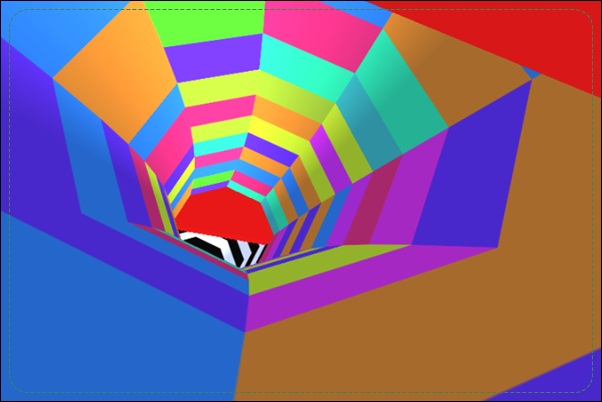
Tunnel Rush sends you through a tunnel where rotating barriers continually change the available route. You move left and right to line up an opening before the wall arrives. The apparent speed of the scenery can be distracting, but the decision is concrete: identify the part of the next barrier that will let you pass.
A useful attempt combines observation with controlled movement. The gap may shift during the approach, and avoiding one wall can leave you poorly aligned for another. Learn to follow the opening’s direction, commit to a usable sector, and then transfer attention to the next shape as soon as clearance is established.
How to Play Tunnel Rush
Use the Left and Right Arrow keys to move through clear sectors of the tunnel. Avoid the approaching barriers, account for their rotation, and keep navigating until a collision ends the attempt.
- Find the opening in the first approaching barrier.
- Watch its direction of movement before choosing a sector.
- Move into the passage and finish the correction when it is aligned.
- Begin reading the next shape as the previous one clears.
Controls & Timing
A moving opening is a timing problem
A rotating wall can change the safe sector during its approach. Watch enough of its movement to understand the direction, then choose where you need to be at contact. Reacting only to its first visible position can aim you at a closing gap.
Clearance has a continuation
Passing one barrier is only part of a successful movement. Notice the next wall as soon as it becomes readable. A correction that ends in a useful position saves you from an immediate large reversal.
Controls
| Input | Action | When to use |
|---|---|---|
| Left Arrow | Move left | Align with an opening |
| Right Arrow | Move right | Align with an opening |
High Score Tips
- Follow the gap instead of the solid wall. The opening is the destination of your movement. Giving it visual priority helps turn a busy rotating shape into a specific route you can choose.
- Distinguish motion from urgency. A dramatic rotation may look alarming before it threatens your sector. Observe whether the gap is approaching or leaving your line before spending a large correction.
- Release when the chosen sector is reached. Continuing to turn after alignment can undo a successful dodge. Check the route immediately ahead and preserve the opening you have already established.
- Review arrival timing after a miss. Ask whether you chose the wrong sector or reached the right one too late. Those errors require different corrections, so avoid solving every crash with a faster, larger movement.
Key Features
- Rotating barriers. Moving openings turn obstacle reading into an arrival-time decision.
- Three-dimensional tunnel route. The forward view emphasizes the next wall and its clear sector.
- Two-direction navigation. Left and right movement provide the core avoidance controls.
- Successive obstacle patterns. Each cleared shape leads into another route-reading problem.
Frequently Asked Questions
Why can an opening disappear during the approach?
The barrier may rotate, carrying its clear sector away from the original position. Track that movement and aim for where the gap will be when you reach it.
Do I need up and down controls?
The verified control scheme used here is Left and Right Arrow movement. This description does not use the four-direction control claim found on one secondary page.
What should I do after clearing a wall?
Read the next barrier and check whether your current sector remains useful. Avoid treating a successful dodge as a reason to continue rotating without a new route decision.
How can I stop overcorrecting?
Choose an opening before moving and recognize when you are aligned with it. End the correction at that point instead of holding until the wall has fully passed.
Which mistakes are worth reviewing?
Separate choosing the wrong opening from reaching a good opening too late. The first calls for better route reading; the second calls for an earlier start to a decision you already understood.