




About Endless Tunnel
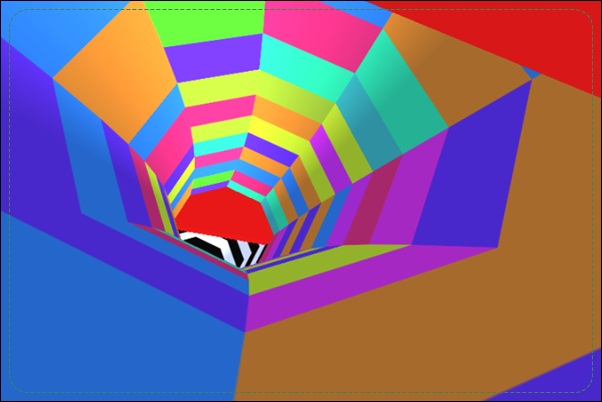
What counts as the floor when the tunnel turns around a moving cube? Endless Tunnel makes that changing reference part of its obstacle challenge. You use left-right inputs to rotate or steer the route through a tunnel with four closed walls, keeping the cube away from red blocks as it continues forward.
There is no final destination to reach. The aim is to extend the attempt while rising speed and changing obstacle arrangements make the next surface harder to choose. A turn therefore needs a destination: a clear stretch that will support the cube’s continued travel. Watch how the view settles after the adjustment, then read the next barrier from that new orientation rather than from the position you just left.
How to Play Endless Tunnel
Use Left and Right Arrow to adjust the cube’s route through the tunnel. Avoid the red obstacles, reassess the surface after turning, and continue as far as possible before a collision ends the attempt.
- Start the run and locate the cube relative to the four surrounding walls.
- Read the red barrier ahead and identify the clear surface beside it.
- Turn toward that route, then check the cube’s position as the view changes.
- Keep extending the attempt as speed increases; after a collision, begin another run.
Controls & Timing
Turning changes the reference surface
The tunnel’s orientation changes as you adjust the route. Locate the cube and its supporting surface again after the turn. A direction that looked safe before rotating may need to be reassessed from the resulting position.
A red block interrupts the route
Colliding with a red obstacle ends the attempt. Read the clear space around it before making the turn. The goal is to choose a usable continuation, not merely move away from the first visible edge.
Distance brings more timing pressure
The cube advances automatically and the pace increases. Start reading an obstacle while it is still farther ahead. A late correction becomes harder to judge when both the barrier and the changing view demand attention.
Controls
| Input | Action | When to use |
|---|---|---|
| Left Arrow | Adjust or rotate the route left | Move toward a clear tunnel surface |
| Right Arrow | Adjust or rotate the route right | Avoid a red barrier on the opposite side |
High Score Tips
- Name the destination before turning. Identify the clear surface you want to use, even if only mentally. That gives the input a stopping point instead of letting a long hold continue until the view becomes confusing.
- Allow the new view to guide the next input. After a turn, check where the cube is now supported. Immediately repeating the same direction can miss the fact that the first adjustment already solved the obstacle.
- Read the barrier’s extent. Look beyond its nearest corner to see how much of the route it occupies. This helps distinguish a small correction from a turn that must carry you onto another surface.
- Practice orientation as well as speed. If a failure follows a confusing rotation, work on recognizing the cube’s resulting position. Faster reactions alone will not help if the next input is based on the surface you were using before the turn.
Key Features
- Four-sided tunnel. Several surrounding surfaces form the running space.
- Two-key route adjustment. Left and Right Arrow control the avoidance decisions.
- Red obstacle barriers. Visible blocks define the route’s dangerous sections.
- Endless distance challenge. There is no fixed finish, and the pace increases during the run.
Frequently Asked Questions
Is there a final level to finish?
The documented game is an endless distance challenge. Try to extend the run and improve your own result rather than expecting a fixed final stage or a finish line.
Why does the floor seem to change when I turn?
The route rotates within a tunnel made of surrounding walls. Recheck the cube’s position and supporting surface after an adjustment instead of assuming the previous view still describes the next movement.
Can I jump over the red blocks?
The documented controls are Left and Right Arrow for route adjustment. Choose a clear surface around the obstruction; this guide does not assume a separate jump input is available.
What ends an attempt?
A collision with an obstacle ends the run. Read the space around the red barriers early enough to select a continuation, because increasing speed leaves less time for a close-range repair.
Should I memorize one complete tunnel layout?
Focus on recognizing obstacle shapes and usable surfaces. The arrangements vary, so a repeatable way to read each passage is more useful than relying on one fixed sequence of turns.