
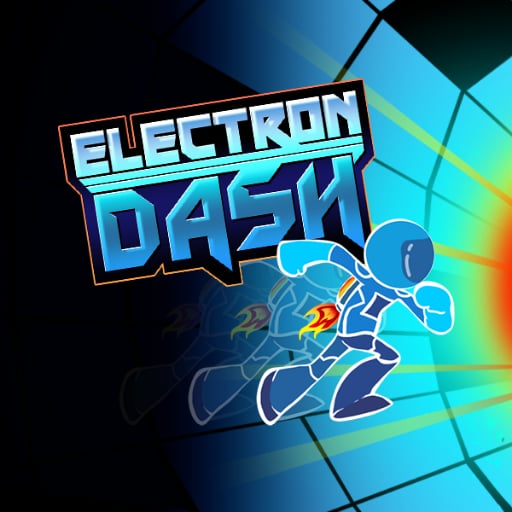








About Electron Dash
Electron Dash puts a running character inside a futuristic space tunnel. Openings in the floor and laser hazards ask for different responses: you may need to move to another surface or time a jump toward a clear landing. The tunnel’s changing orientation makes keeping track of usable ground part of the challenge.
The goal is to continue as far as possible without losing the runner to the course. A jump should therefore be planned as an approach, a crossing, and a landing rather than a reflex triggered by any visible danger. Read the surface beyond the immediate hazard so a successful escape does not place the character in front of the next one.
How to Play Electron Dash
Move with Left and Right Arrow or A and D, and jump with Up Arrow or W. Avoid lasers, cross gaps toward supported ground, and keep running through the tunnel for as long as possible.
- Identify the next supported surface and any laser crossing its route.
- Move sideways when another line offers a safer approach.
- Jump floor openings with a clear landing area already in view.
- After a failure, review the approach that left the runner without a safe continuation.
Controls & Timing
Different hazards need different answers
A hole asks you to reach another supporting surface, while a laser blocks part of the route. Identify which problem is ahead before pressing jump. A movement that clears one danger can still lead directly into the other.
A landing is part of the jump
The far side of an opening matters as much as its near edge. Choose a line that meets solid ground and leaves room to continue. Jumping without locating that surface makes the outcome harder to control.
Orientation changes the useful reference
When the tunnel turns around the runner, reassess which surface supports the route. Follow the character’s relationship to that surface instead of treating one screen edge as a permanent floor. This helps keep the next gap understandable.
Controls
| Input | Action | When to use |
|---|---|---|
| Left Arrow / A | Move left | Choose another route around a hazard |
| Right Arrow / D | Move right | Choose another route around a hazard |
| Up Arrow / W | Jump | Cross an opening toward a clear landing |
High Score Tips
- Read the landing before the launch point. Locate the next safe surface, then judge when to jump toward it. That order gives the action a destination instead of turning it into a last-second escape from the nearest edge.
- Avoid a jump by habit. A visible laser does not automatically make jumping the best line. Inspect the space around it and choose the route that leaves the runner supported afterward.
- Restore orientation after a turn. Briefly identify the usable floor again when the tunnel’s structure changes. This prevents an old screen-based assumption from sending your next movement toward empty space.
- Keep the next hazard in the plan. A jump that clears a hole but lands beside a laser is incomplete preparation. Read enough of the following section to choose a landing with room for another action.
Key Features
- Space-tunnel running. A futuristic route surrounds the automatically advancing character.
- Floor openings. Gaps require a supported landing beyond the immediate edge.
- Laser hazards. Dangerous beams create route choices alongside the jumping challenge.
- Changing tunnel orientation. Surface awareness matters as the scene turns around the runner.
Frequently Asked Questions
How do I jump in this version?
Use Up Arrow or W. The controls documented here separate jumping from the left and right movement keys, so choose the action that fits the next gap or hazard.
Is jumping the answer to every obstacle?
No. A laser and an opening in the floor present different route problems. Look for a safe continuation and choose lateral movement or a jump according to the visible arrangement.
Why can a successful gap crossing still fail?
The landing may be poorly aligned with the next surface or hazard. Plan where the runner will arrive before jumping, and check that the route continues beyond that point.
What should I watch when the tunnel turns?
Reidentify the surface that supports the runner and locate the next opening relative to it. Relying on a fixed screen direction as the floor can become misleading during an orientation change.
What is the main goal of the run?
Continue through the tunnel while avoiding lasers and falls. Judge progress by sustained survival, and use a failed attempt to identify the approach that first removed your safe options.