


About Geometry Dash Lite
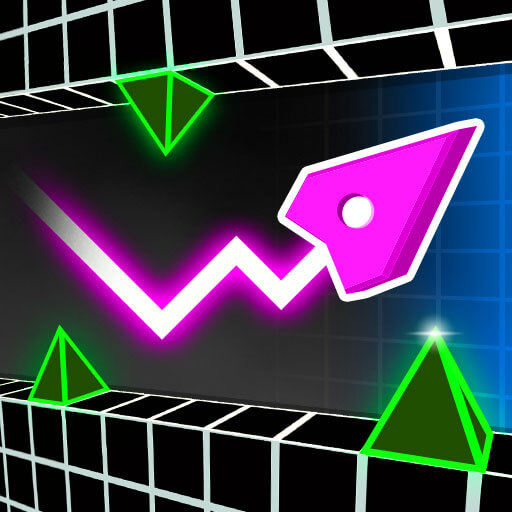
Geometry Dash Lite uses an automatic forward journey to connect different movement problems. The familiar cube jumps when you click, but a portal can replace it with a form that responds differently. A ship section, for example, asks you to manage a held input and its release instead of repeating separate ground jumps.
This description concerns the browser version linked here. Its core challenge is coordinating the visible route with the action of the current form. A passage can be difficult because the jump is mistimed, because a hold lasts too long, or because you entered a transformation without adjusting your expectation. Understanding that distinction gives a retry a practical purpose beyond simply repeating the same inputs faster.
How to Play Geometry Dash Lite
Click to jump while controlling the cube. In ship sections, hold the left mouse button to rise and release to descend. Avoid spikes and walls, adapt to portal changes, and continue toward the level’s end.
- Begin the course and identify the character’s current form.
- Use a click for a cube jump or a held input for the appropriate flying section.
- Read the layout immediately after a portal before continuing an earlier rhythm.
- Reach the end of the course or retry the sequence that caused a collision.
Controls & Timing
The form determines the input’s meaning
A click that makes a cube jump does not describe the complete control of a ship. Observe the active form after a portal and use the corresponding input state. The transition is a change of task even when the scenery keeps moving smoothly.
A jump occupies a path
The character must fit between the ground obstacle and any ceiling above it. Check the receiving surface as well as the spike at takeoff. A jump can clear its first hazard yet still enter another before it lands.
Music is a timing reference
A soundtrack can make a repeated sequence easier to organize. The collision boundaries still determine whether an action works. Keep checking the visible course when the timing or character form differs from what you expected.
Controls
| Input | Action | When to use |
|---|---|---|
| Left mouse click in cube form | Jump | Clear a ground obstacle |
| Hold left mouse in ship form | Rise | Gain height through a flying passage |
| Release left mouse in ship form | Descend | Pass below an upper obstacle |
High Score Tips
- Separate transformation errors from timing errors. If the movement after a portal surprises you, learn that form before changing the entire approach. The problem may be applying the wrong action rather than acting too late.
- Read the receiving platform. Choose where a jump should finish before launching. That makes the input serve a complete passage instead of an immediate escape from a single spike.
- Break a sequence at a recognizable landmark. Use a portal, platform edge, or distinctive obstacle to organize a troublesome section. It is easier to improve one transition than to remember a whole course as an undifferentiated rhythm.
- Let a successful input become a reference. When a passage works, remember the visible position at which you acted. Reusing that relationship can be more consistent than relying on how fast the previous attempt felt.
Key Features
- Automatic forward motion. The player concentrates on the timing of actions.
- Cube jumping. Ground sections center on accurately placed takeoffs and landings.
- Form-changing portals. Different movement behaviors interrupt the ordinary jump sequence.
- Geometric obstacle courses. Spikes, walls, and platform arrangements create repeatable challenges.
Frequently Asked Questions
Does this page describe the mobile app’s complete feature list?
No. It describes the core play supported by the referenced browser version. Level totals, account features, editors, and mobile-app updates are not assumed to be present in this embed.
Why does holding work differently after a portal?
The character’s form can change the action. Cube sections use jumps, while ship sections involve rising during a hold and descending after release, so the previous rhythm may need to change.
Can I judge a jump only by the nearest spike?
Check the ceiling and the landing as well. The full path must remain clear, because passing the first spike does not guarantee that the character has somewhere safe to come down.
Should I play entirely by listening to the beat?
Use the music to support timing, but continue watching the course. The active form and visible obstacle positions determine the action that is useful at any particular moment.
What should I change after repeated failures?
Identify one problematic transition and compare the character’s position before the input. Adjust that part deliberately rather than pressing more often throughout the entire course without knowing which action caused the collision.