
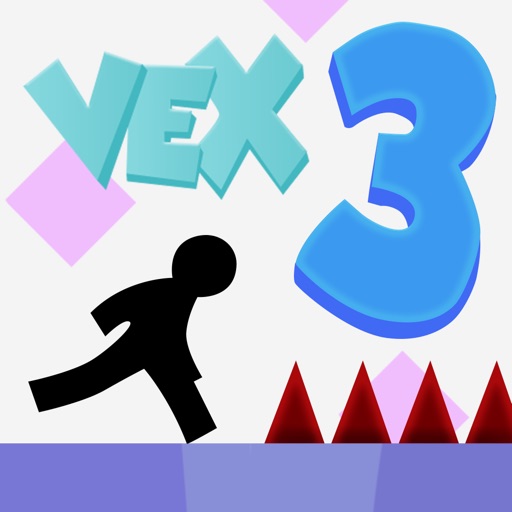




About Vex 3
Vex 3 turns a stick figure’s movement into a sequence of small escapes. You slide beneath a low obstruction, jump toward a platform, and climb a shaft while spikes and moving traps restrict the available space. Each stage, called an Act, has an exit to reach and intermediate checkpoints that make difficult sections less costly to learn.
A first completion is only one way to use a stage. Faster times and additional challenges give familiar routes another purpose after the basic passage is understood. The experience changes as a trap that once looked chaotic becomes a timing landmark. Progress comes from recognizing when to move, which action fits, and where the character can safely stop before the next sequence.
How to Play Vex 3
Move with the arrow keys or WASD, jump upward, and hold Down or S while running to slide. Avoid traps, activate checkpoint flags, and reach the green exit portal to complete the Act.
- Enter an available Act and locate the first checkpoint along its route.
- Use running, jumping, sliding, and repeated climbing jumps to pass each obstacle section.
- Touch checkpoint flags so a failed passage resumes from a later point.
- Reach the exit, then replay for a cleaner or faster completion if desired.
Controls & Timing
Checkpoints divide an Act
A flag changes the restart position once activated. Treat the next section as a manageable movement sequence and learn its hazards before taking optional risks. A checkpoint makes repeated practice more focused, but it does not clear the traps ahead.
Sliding changes how the character fits
A low passage can require a running slide rather than a jump. Read the available height and the floor beyond it before entering. Choose the action that matches the opening instead of applying the same jump to every obstruction.
Climbing links repeated jumps
Vertical routes can require successive jumps along walls. Watch the next contact and the space above it. Establishing the sequence at a controlled pace makes later attempts at a quicker route easier to judge.
Controls
| Input | Action | When to use |
|---|---|---|
| Left / Right Arrow or A / D | Move horizontally | Approach platforms and traps |
| Up Arrow or W | Jump | Cross gaps and climb with repeated jumps |
| Down Arrow or S while running | Slide | Pass a low opening |
High Score Tips
- Learn a trap’s movement from safe ground. When a hazard repeats its motion, observe enough to recognize the open interval. Entering with that information is more dependable than reacting only when the trap is beside the character.
- Use checkpoints as practice boundaries. Work on the section between the current flag and the next safe point. This gives each retry a specific aim instead of turning the whole Act into a rushed race.
- Choose the action by the opening. A low ceiling suggests a slide, while a broken floor asks for a crossing. Reading the geometry before moving reduces the need to repair an unsuitable action mid-passage.
- Pursue time after consistency. A dependable finish shows where movement is being wasted. Improve one pause or transition at a time so the attempt becomes faster without abandoning the route that made it reliable.
Key Features
- Acts with exit portals. Each platform stage provides a defined completion goal.
- Multiple movement actions. Running, jumping, sliding, and climbing solve different obstacles.
- Checkpoint flags. Later restart positions support focused section practice.
- Time and challenge goals. Completed routes can be revisited for stronger results.
Frequently Asked Questions
What does a checkpoint do?
Touching a checkpoint flag establishes a later restart point within the Act. If a subsequent trap ends the attempt, you can practice that section without repeating the entire route from the beginning.
How do I slide under an obstacle?
Hold Down Arrow or S while running. Check the floor beyond the low opening before entering so the slide leads into a usable continuation rather than the next trap.
Can I make the character faster with an acceleration key?
The documented control scheme does not use a separate accelerator. Better completion times come from efficient movement, fewer unnecessary pauses, and a route that avoids repeated failures.
What completes an Act?
Reach its green exit portal after navigating the platform course. Checkpoints help along the way, but activating a flag is an intermediate step rather than the end of the stage.
When should I try the harder challenges?
First become comfortable with the main movement actions and a reliable route through ordinary Acts. More demanding layouts are easier to learn when sliding, wall contact, and jump timing no longer need separate attention.