




About Tunnel Road
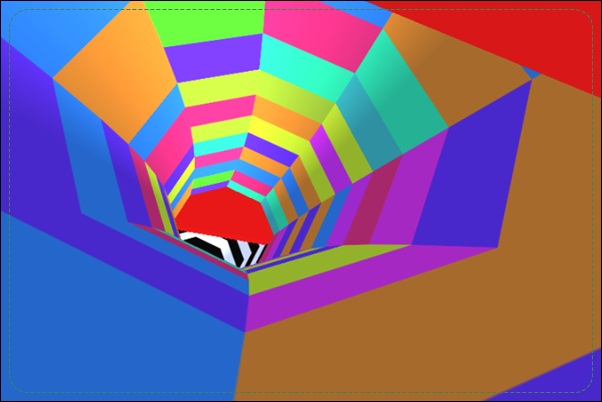
Start Tunnel Road by choosing whether to make the run alone or share the challenge with another player on the same computer. The game sends you through a moving tunnel filled with obstacles, with left-right steering used to keep a route open. Increasing pace and changing barrier arrangements make a familiar-looking passage less forgiving as the run continues.
Local two-player play adds a second demand on attention. Another person’s close escape can draw your eyes away from the obstacle that matters to your own run. Establish the control assignments first, then treat each gap as your own decision. The shared session provides the contest; the immediate task is still to read a clear passage and arrive in the right position.
How to Play Tunnel Road
Choose one-player or local two-player mode. Use the assigned A/D or Left/Right Arrow pair to steer through openings and avoid tunnel obstacles. Continue as far as possible without colliding.
- Select the number of players and read the displayed control assignments.
- Make a small steering input to identify your movement within the tunnel.
- Follow clear gaps as the tunnel and its obstacle patterns change.
- Continue the run until a collision, then use the next attempt to correct the difficult passage.
Controls & Timing
Mode selection comes before movement
A solo run and a local contest do not ask you to manage the same shared input space. Confirm which key pair belongs to each player before starting. This avoids treating another player’s input as a fault in your own steering.
The tunnel changes the visual reference
Motion and shifting barriers can make a gap harder to track. Keep identifying the space you intend to pass through rather than following the surrounding pattern. The useful reference is the opening in front of your route.
A faster run compresses decisions
As the pace increases, an obstacle spends less time at a comfortable reading distance. Choose a direction earlier and reserve close-range movement for correction. Waiting until a barrier fills the view makes unnecessary oversteering more likely.
Controls
| Input | Action | When to use |
|---|---|---|
| A / D | Letter-key steering pair | Use when assigned to your player |
| Left / Right Arrow | Arrow-key steering pair | Use when assigned to your player |
| Mode selection and displayed assignments | Choose solo or local two-player setup | Before beginning a shared run |
High Score Tips
- Test the setup before competing seriously. Make sure both players recognize their controls and their own route. Solving that first keeps an input misunderstanding from interrupting an otherwise useful attempt.
- Keep attention on your own opening. In local play, the other player’s reaction can be distracting. Continue reading the hazard that is approaching your position instead of copying a turn intended for a different situation.
- Avoid chasing the moving scenery. Use the boundaries of the next usable gap as the steering reference. Decorative tunnel motion can encourage corrections that do not actually improve the passage.
- Discuss the difficult section between attempts. When playing together, compare what made a particular arrangement hard after the run ends. Mid-passage advice can compete with the visual decision each player is already trying to make.
Key Features
- Solo and local two-player modes. The tunnel can be tackled alone or in a shared session.
- Two keyboard steering pairs. Letter keys and arrows support the documented controls.
- Changing tunnel obstacles. Each approach requires another reading of the open route.
- Increasing pace. Later survival demands earlier decisions.
Frequently Asked Questions
Can two people play on the same computer?
Yes. Select the local two-player mode and follow its displayed key assignments. Each player should confirm their own controls before the run begins so both understand which movement they are making.
Does two-player mean online matchmaking?
The documented mode is local play on one computer. This guide does not describe remote matchmaking, an account lobby, or a way to invite someone using a separate device.
Which steering keys should I use?
The supported pairs are A/D and Left/Right Arrow. Read the selected mode’s assignments to determine your pair, especially when another person is using the keyboard at the same time.
Should I follow the other player’s turns?
Follow the opening relevant to your own position. Another player may be responding to a different approach, and copying that action can distract you from the gap you actually need.
How can I improve a fast section?
Choose the route while the opening is still easy to read, then limit late movement to a necessary correction. This separates the main decision from the final adjustment near the obstacle.