



About Two Ball 3D: Dark
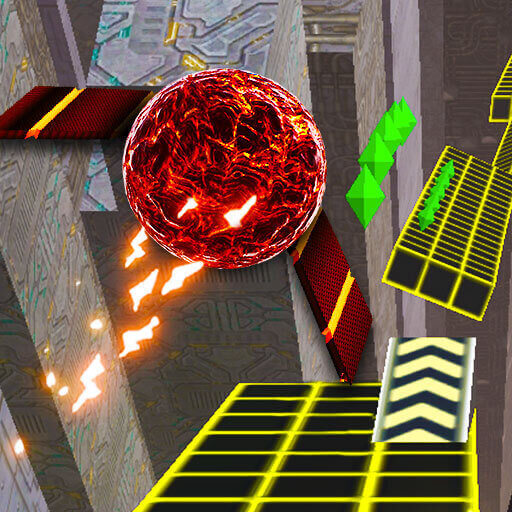
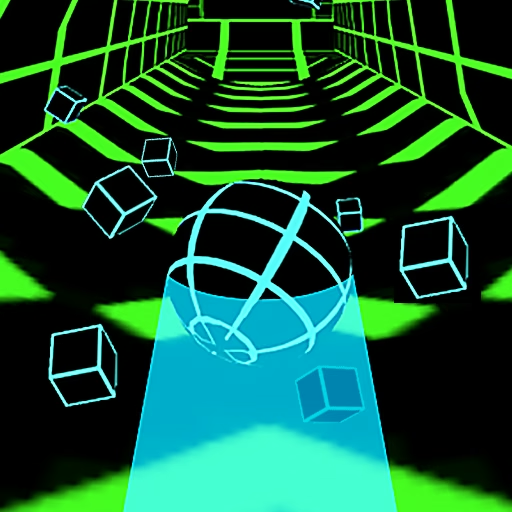
Two Ball 3D: Dark makes a narrow track feel more precarious by surrounding it with darkness. Glowing edges reveal the route, while ramps send the ball across breaks in the surface. Wings unfold during those launches, giving the airborne moments their own visual character. Even a short run includes decisions about where to enter a ramp and which platform will receive the ball.
Playing beside another person changes the experience without changing the need for a safe route. The local two-player option uses separate parts of one keyboard, so a rival’s progress is visible while your own hazards keep approaching. Diamonds support ball appearances, and bonuses provide additional options. The most useful competition still begins with controlling your own approach.
How to Play Two Ball 3D: Dark
Choose one-player or two-player mode and steer along the suspended track. Player 1 uses A/D and Player 2 uses Left/Right Arrow. Follow ramps toward supported landings, avoid hazards, and collect diamonds without leaving the course.
- Select the mode and identify which ball and keys belong to you.
- Steer along the glowing track edges toward the next clear section.
- Align before a ramp so its launch leads toward the following platform.
- Continue until a fall or collision ends the attempt, then review the approach.
Controls & Timing
A ramp begins on the ground
The ball’s position before the ramp affects its arrival on the next platform. Arrange that position while the approach is still broad enough to adjust. Watching the wings alone can distract from the surface needed after the flight.
Two screens of attention on one keyboard
A local opponent adds a reason to look away from your own route. Confirm your keys before starting and keep following your ball during difficult sections. A rival’s mistake does not clear the obstacle approaching your side.
Diamonds between attempts
Collected diamonds contribute to additional ball skins. They give repeat runs a collection goal, but a skin choice should not be mistaken for immunity to falls. Take a pickup when its route remains usable beyond the reward.
Controls
| Input | Action | When to use |
|---|---|---|
| A / D | Player 1 steering | Guide the first ball left or right |
| Left / Right Arrow | Player 2 steering | Guide the second ball in local play |
High Score Tips
- Aim for the platform, not empty space. Before taking a ramp, locate the track on the far side. A visible destination makes the setup more useful than reacting only to the edge you are leaving.
- Keep competitive glances brief. Check the other player during a simple stretch, not while approaching a gap. Your next input depends on your own ball’s position even when the opponent is farther ahead.
- Choose a modest diamond line. A collection path near the center of usable track is easier to continue than one beside a drop. Let the reward come with a controlled approach rather than a last-second sweep.
- Compare the approach after a failed jump. Notice whether the ball entered the ramp from an awkward position. Fixing that setup is more informative than blaming every missed landing on the airborne part.
Key Features
- Dark neon course. Glowing track boundaries frame the suspended route.
- Ramp-launched wings. Airborne sections visibly differ from ordinary rolling.
- Local two-player mode. Separate keyboard controls support side-by-side competition.
- Diamond-funded skins. Collection adds a cosmetic goal between attempts.
Frequently Asked Questions
Can two people play on one computer?
Yes. The local two-player mode assigns A/D to Player 1 and the left/right arrows to Player 2. Check the mode and your ball before beginning the shared-keyboard run.
Do I press a jump key to use a ramp?
The described steering controls guide the ball onto ramps, which produce the airborne passage. This guide does not add a manual jump key that the source control scheme has not established.
What do the wings mean?
They appear when the ball launches from a ramp and form part of the airborne movement. Continue watching the receiving platform instead of treating the wing animation as proof of a safe landing.
Are diamonds required to stay alive?
They support ball-skin unlocks rather than replace the basic survival task. You still need a supported route through the obstacles, so a risky pickup can be left for another attempt.
How should beginners approach two-player races?
First agree on the controls and identify each ball. During play, concentrate on completing your own ramp approaches; watching the opponent constantly can make even familiar sections harder to navigate.